How To
Getting Started with the EDB PostgreSQL Database Kubernetes Operator and Portworx Storage

Summarize Blog With
Table of Content
PostgreSQL Database Operators
There are a number of PostgreSQL database Kubernetes operators available—including Crunchy PostgreSQL for Kubernetes, Zalando PostgreSQL Operator, and Percona Distribution for PostgreSQL on Kubernetes to name just a few—however, for this blog post, I will be taking the popular EnterpriseDB (EDB) PostgreSQL Operator out for a spin.
If you want to try looking at using other database operators, visit OperatorHub.io, which provides a registry of Kubernetes operators.
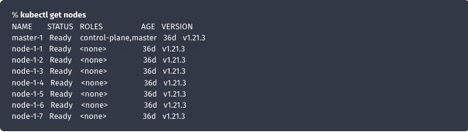
Before we start, let’s take a quick look at my Kubernetes environment:
Install Cloud Native PostgreSQL
To begin, let’s install the latest Cloud Native PostgreSQL operator:
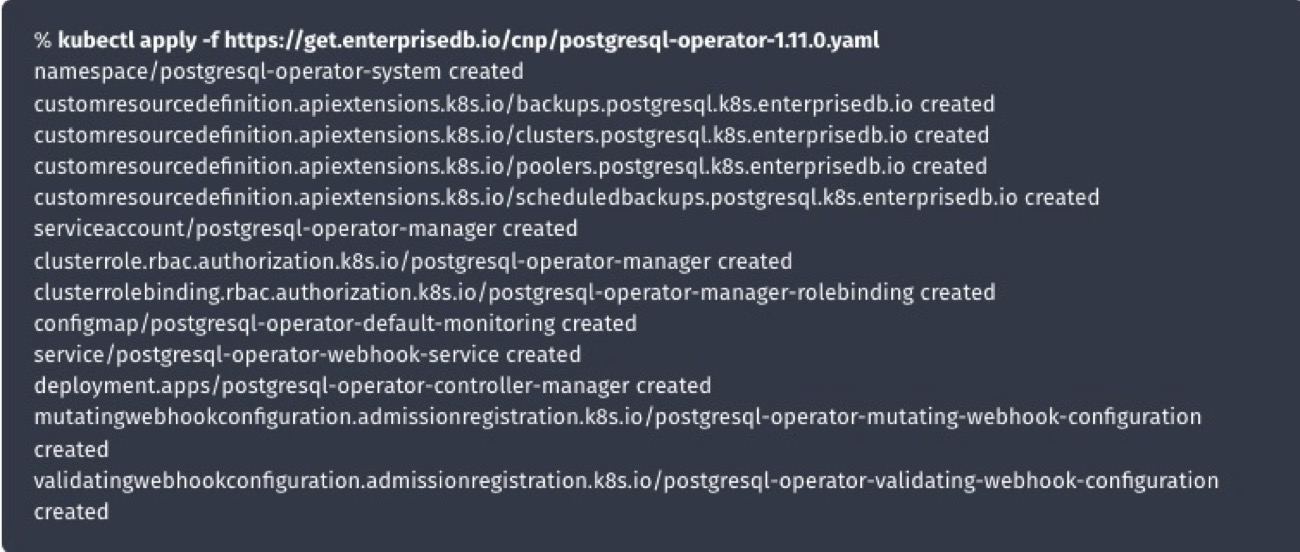
Next, let’s confirm the Operator installation:

Create Portworx Storage Class
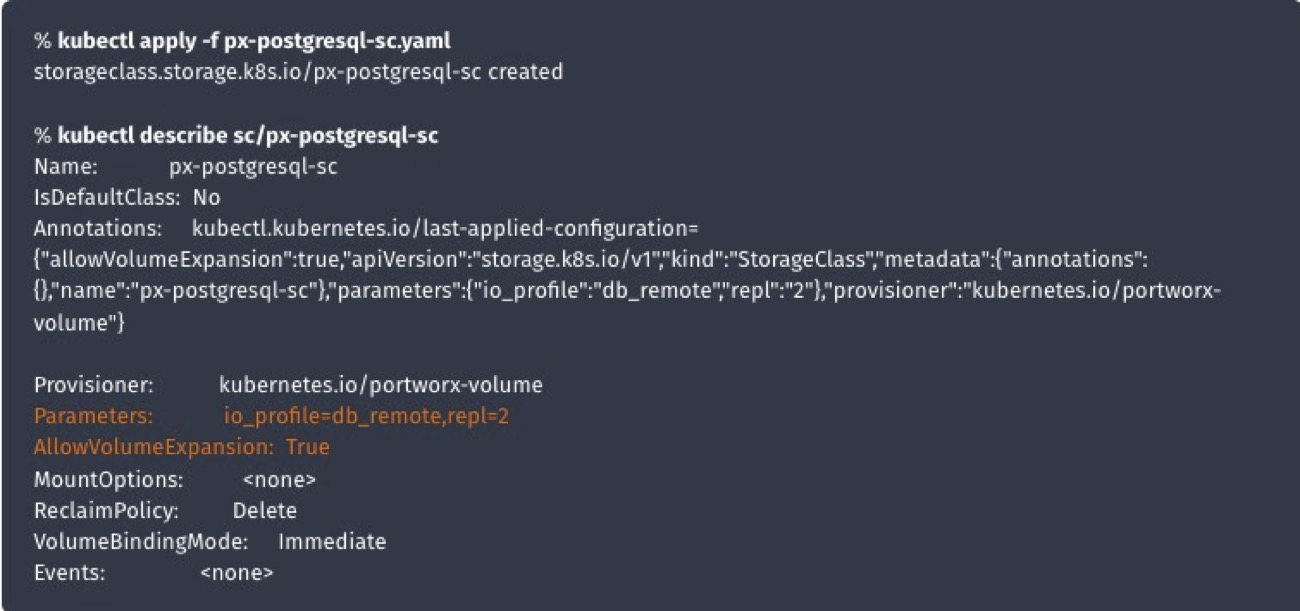
Use a text editor to create a file, in the example below I have set the replication factor to 2, io profile for database workloads, and asked Portworx to support volume expansions.
kind: StorageClass
apiVersion: storage.k8s.io/v1
metadata:
name: px-postgresql-sc
provisioner: kubernetes.io/portworx-volume
parameters:
repl: “2”
io_profile: “db_remote”
allowVolumeExpansion: trueNext, create a Kubernetes storage class; you can use kubectl apply, for example.
Deploy PostgreSQL Cluster
Create a file named “px-postgresql-cluster.yaml”:
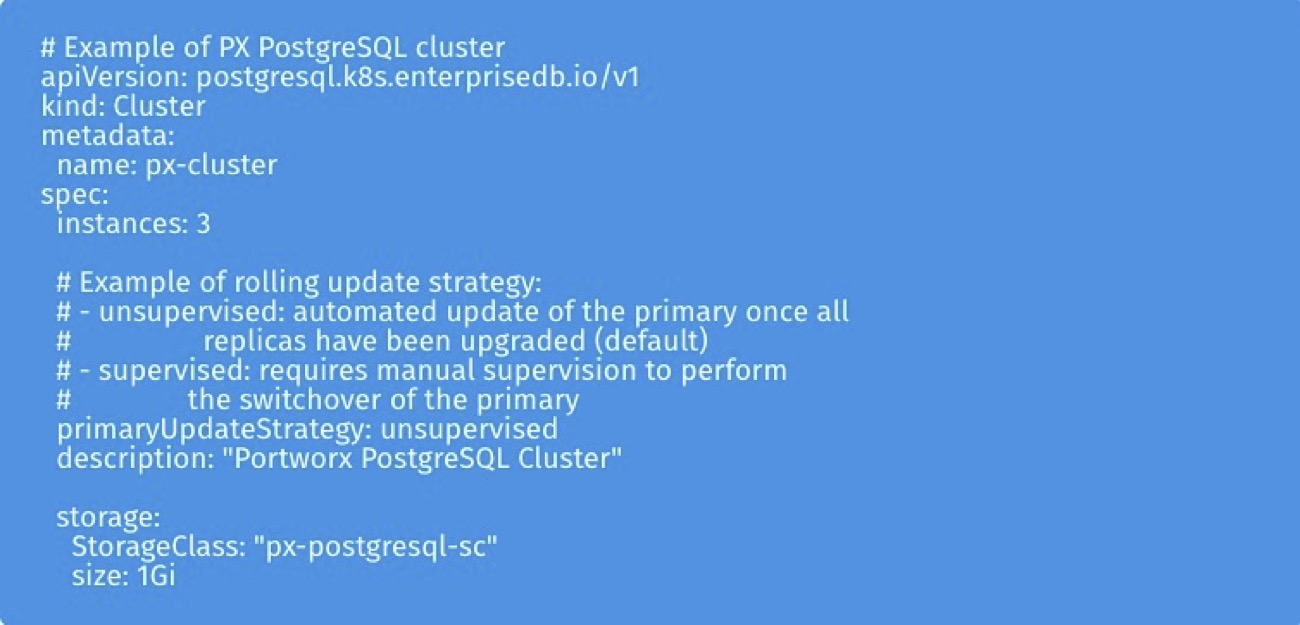
Next, use kubectl to create a 3-node PostgreSQL cluster:
kubectl apply -f px-postgresql-cluster.yaml
Then, check the PostgreSQL pod status:

Next, check the Portworx PersistentVolumeClaims:

Finally, check the PostgreSQL cluster status:

If you want additional details, you can obtain them with kubectl get cluster -o json.
Next, we want to get the cluster name:

Then, we want to get the cluster description:

The next step is to get the cluster current primary:

And finally, we want to get the cluster status:

Cloud Native PostgreSQL Plugin
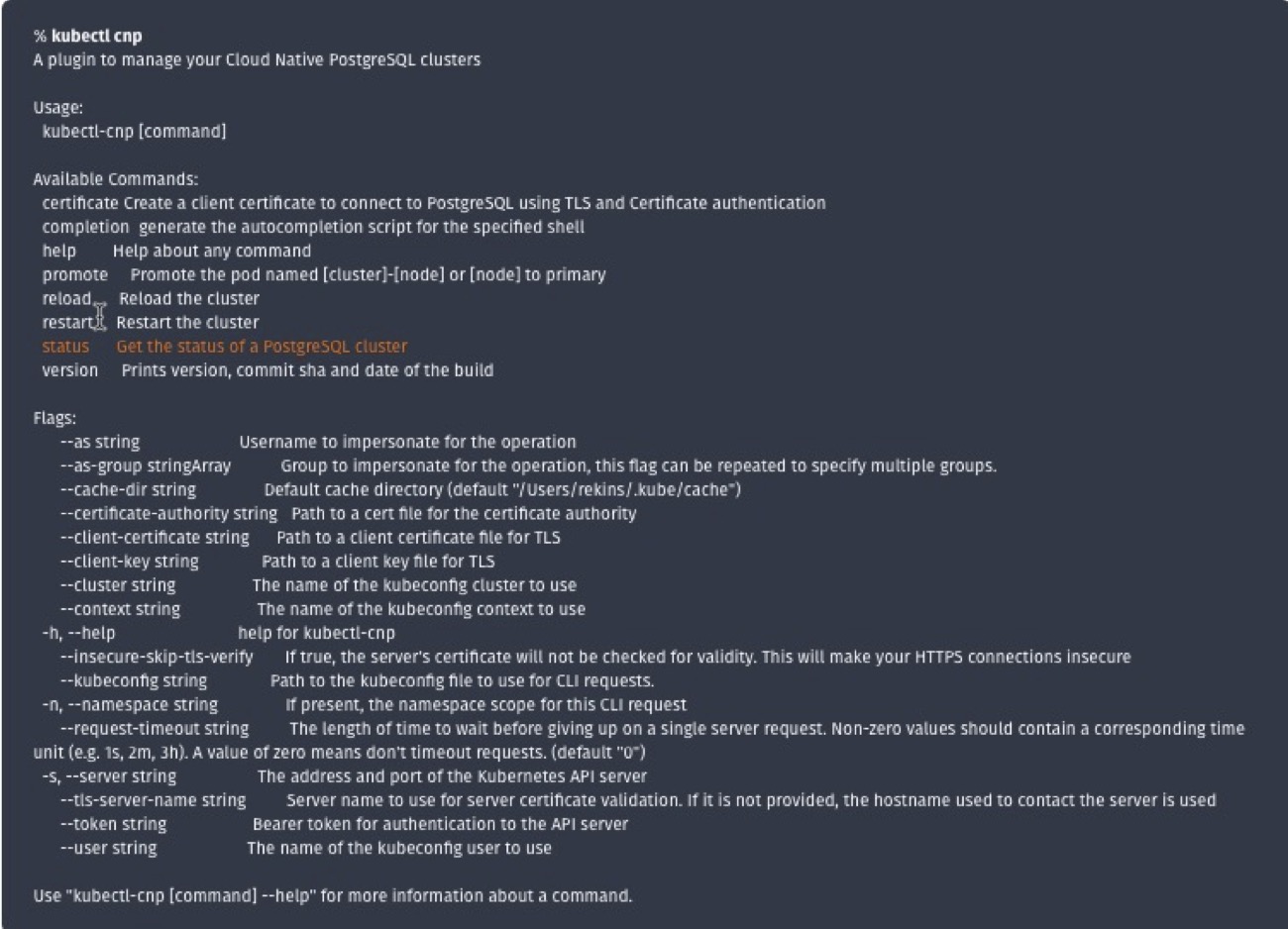
EnterpriseDB provides a plugin for kubectl to manage a PostgreSQL cluster in Kubernetes. We can install this with:

The cnp extension provides some additional features to kubectl:
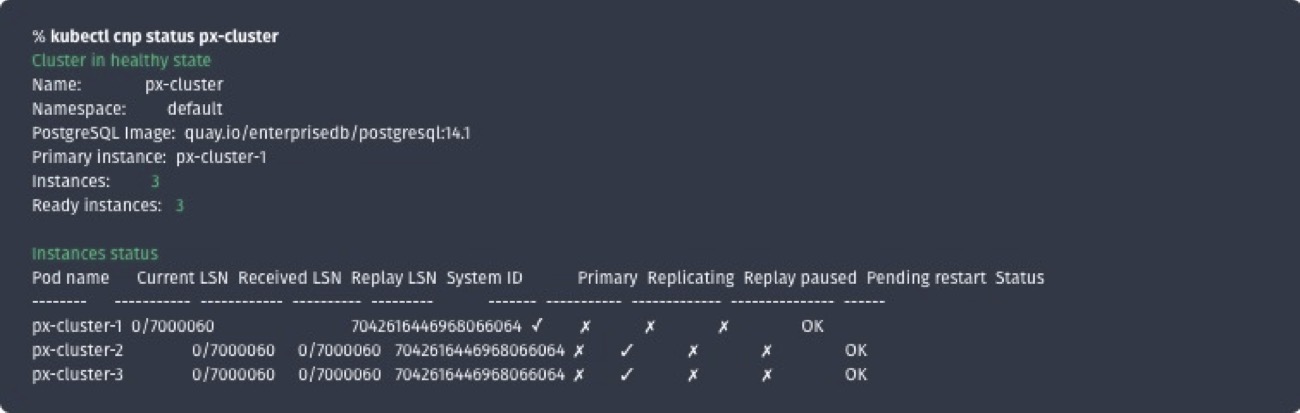
Checking the Cloud Native PostgreSQL Status
CNP shows we are running two replicas; if the primary fails for any reason, the cluster will failover to one of them.
Summary
In this post, I have shared how we can deploy a PostgreSQL database on Kubernetes using the EDB PostgreSQL operator and provide additional resilience using Portworx persistent storage.
Recommended for you