Technical Insights
Disaster Recovery for VMs and Containers on SUSE Virtualization with Portworx


Summarize Blog With
Table of Content
In this post I’m walking through a disaster-recovery failover of a real application running on SUSE Virtualization (Harvester). The whole thing is driven from the Rancher UI, and it’s a good example of how Portworx extends Rancher to give you DR-grade mobility for both containers and virtual machines — the two workload types that live side by side in a virtualization environment.
The demo is short (about eight minutes) and I’ve captured the key screens as we go. If you’d rather watch it, the source recording lives in the Video Memos folder; this post is the written version of that same run.
The environment
The lab is two three-node Harvester clusters, hv1 and hv2, both registered into a single Rancher instance. Harvester is SUSE’s virtualization platform — it’s KubeVirt under the hood, so a “VM” is really a VirtualMachine resource and the node is a standard Kubernetes node running RKE2.
Both clusters run Portworx as their storage layer. That’s the piece that makes this possible: because the storage is managed by Portworx on both sides, a volume (or a VM’s disk) can be migrated from one cluster to the other as a first-class, copy-on-write operation rather than a backup-and-restore.

The two clusters are paired by a Stork ClusterPair, and the actual replication is scheduled by a Stork MigrationSchedule. Stork is the DR/migration engine that ships with Portworx — it’s what understands how to move a namespace’s worth of resources and their volumes together.
The demo application
The application is the venerable PX BBQ app. It’s a deliberately mixed workload:
pxbq-web— a containerized web front-end (a Deployment + Service).mongodb— a virtual machine running Rocky Linux 9 with a MongoDB instance on it, backed by a Portworx volume (themongo-dbPVC).
Everything lives in the pxbbq namespace, and the web app is exposed through a NodePort. That last detail matters for the failover, because it means the service configuration carries over to the target cluster unchanged and the app is reachable the same way on either side.
To prove we have something worth protecting, I log in and place an order. The order lands in the MongoDB VM’s database — so the “data” I care about surviving the failover is actually sitting on a virtual machine’s disk, not in a container.
The foundation: the ClusterPair
Before you can migrate anything between two clusters, Stork has to know they’re a pair. That’s the ClusterPair resource, and it lives in the portworx namespace under the stork.libopenstorage.org API group.
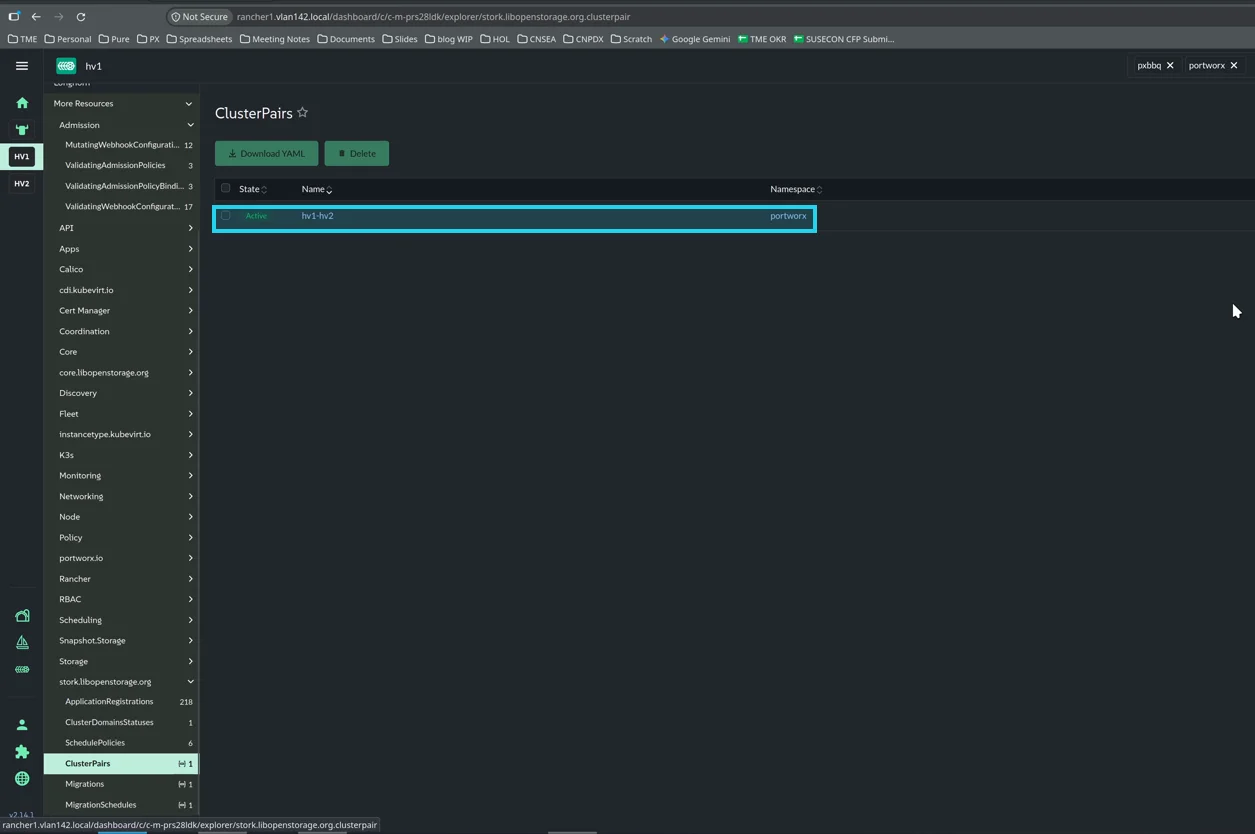
The important thing here is the Active state. A ClusterPair has two status dimensions — a scheduler status and a storage status — and both have to be healthy for the pair to be usable. That green Active pill means the two clusters can actually talk to each other and their storage systems are connected. If you ever see a pair that won’t migrate, this is the first thing to look at.
Protecting the application
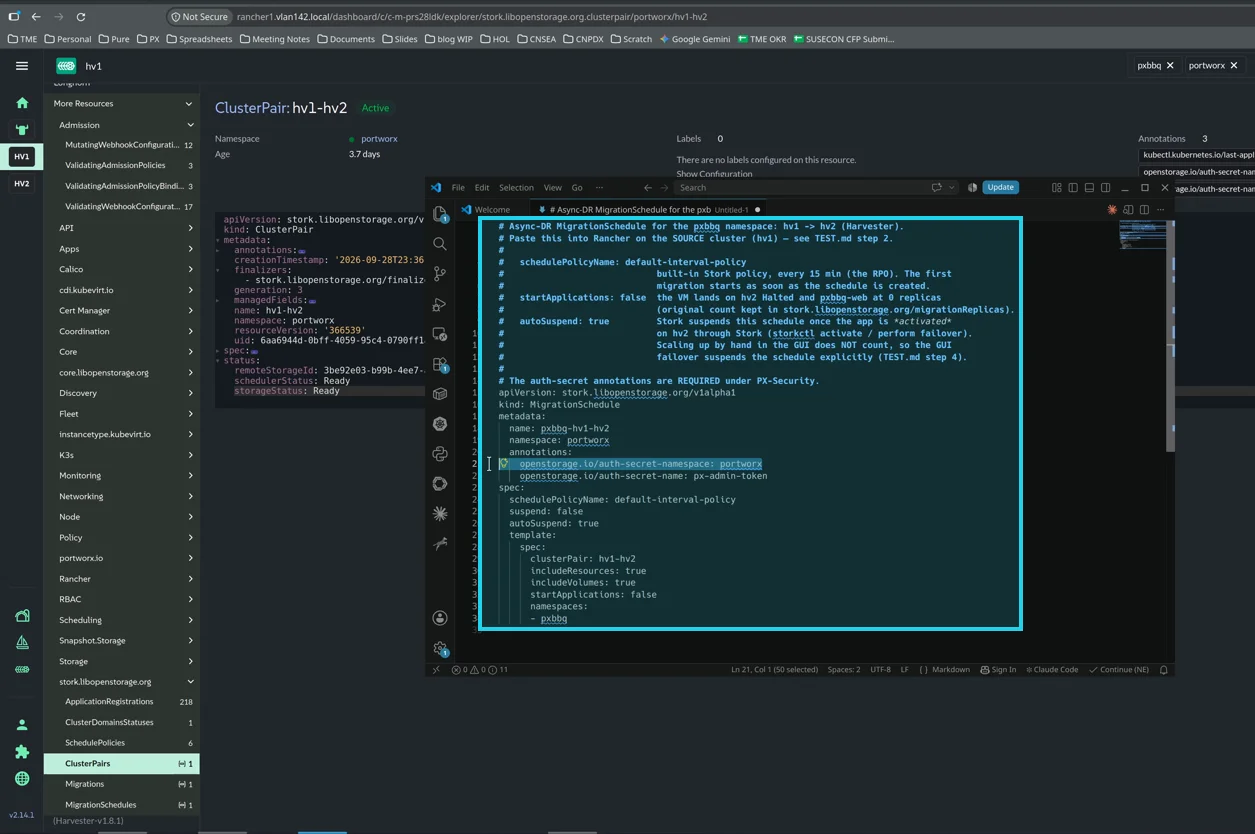
To start protecting the app, I create a MigrationSchedule. This object tells Stork: on an interval, migrate everything in the pxbbq namespace from hv1 to hv2. “Everything” means the VMs, the underlying PVCs/data volumes, and all the pod specs (Deployments, Services, ConfigMaps, etc.) that make up the namespace.
The manifest I import into the portworx namespace on the source cluster looks like this:
# Async-DR MigrationSchedule for the pxbbq namespace: hv1 -> hv2 (Harvester).
# Paste this into Rancher on the SOURCE cluster (hv1).

# schedulePolicyName: default-interval-policy
#   built-in Stork policy, every 15 min (the RPO). The first
#   migration starts as soon as the schedule is created.
# startApplications: false
#   the VM lands on hv2 halted and pxbq-web at 0 replicas
#   (original count kept in stork.libopenstorage.org/migrationReplicas).
# autoSuspend: true
#   Stork suspends this schedule once the app is *activated*
#   on hv2 through Stork (storkctl activate / perform failover).
#   Scaling up by hand in the GUI does NOT count, so the GUI
#   failover suspends the schedule explicitly.

# The auth-secret annotations are REQUIRED under PX-Security.

apiVersion: stork.libopenstorage.org/v1alpha1
kind: MigrationSchedule
metadata:
  name: pxbbq-hv1-hv2
  namespace: portworx
  annotations:
    openstorage.io/auth-secret-namespace: portworx
    openstorage.io/auth-secret-name: px-admin-token
spec:
  schedulePolicyName: default-interval-policy
  suspend: false
  autoSuspend: true
  template:
    spec:
      clusterPair: hv1-hv2
      includeResources: true
      includeVolumes: true
      startApplications: false
      namespaces:
        - pxbbq
A couple of things worth calling out:
schedulePolicyName: default-interval-policy— this is Stork’s built-in policy that runs every 15 minutes. That’s the RPO (recovery point objective) for this protection: in the worst case you lose up to 15 minutes of data.startApplications: false— this is the key to a standby DR model. When the migration runs, the VM lands onhv2powered off and the web Deployment lands at 0 replicas. The original replica count is preserved in an annotation (stork.libopenstorage.org/migrationReplicas) so we know how many to scale back up to later. The standby copy stays dormant until we actually fail over — we don’t want two live copies of the same app writing to the same data.autoSuspend: true— once we activate the app on the target through Stork, the schedule suspends itself so the source stops overwriting the promoted target.- The auth-secret annotations — these are required when PX-Security is enabled. Enabling security is a big boon in multi-tenant environments: it means we’re authenticating to the backend storage system and we can manage a set of keys entirely from within namespaces, using standard Kubernetes tools to enforce those boundaries.
I import this YAML straight from Rancher into the portworx namespace. That immediately spawns the first migration as part of the interval.
The first migration
The first copy of the data takes a moment to land on the secondary cluster. Refreshing about 30 seconds later, the migration object shows the operation in flight — the volume migration has already completed successfully while the resource migration is finishing up:
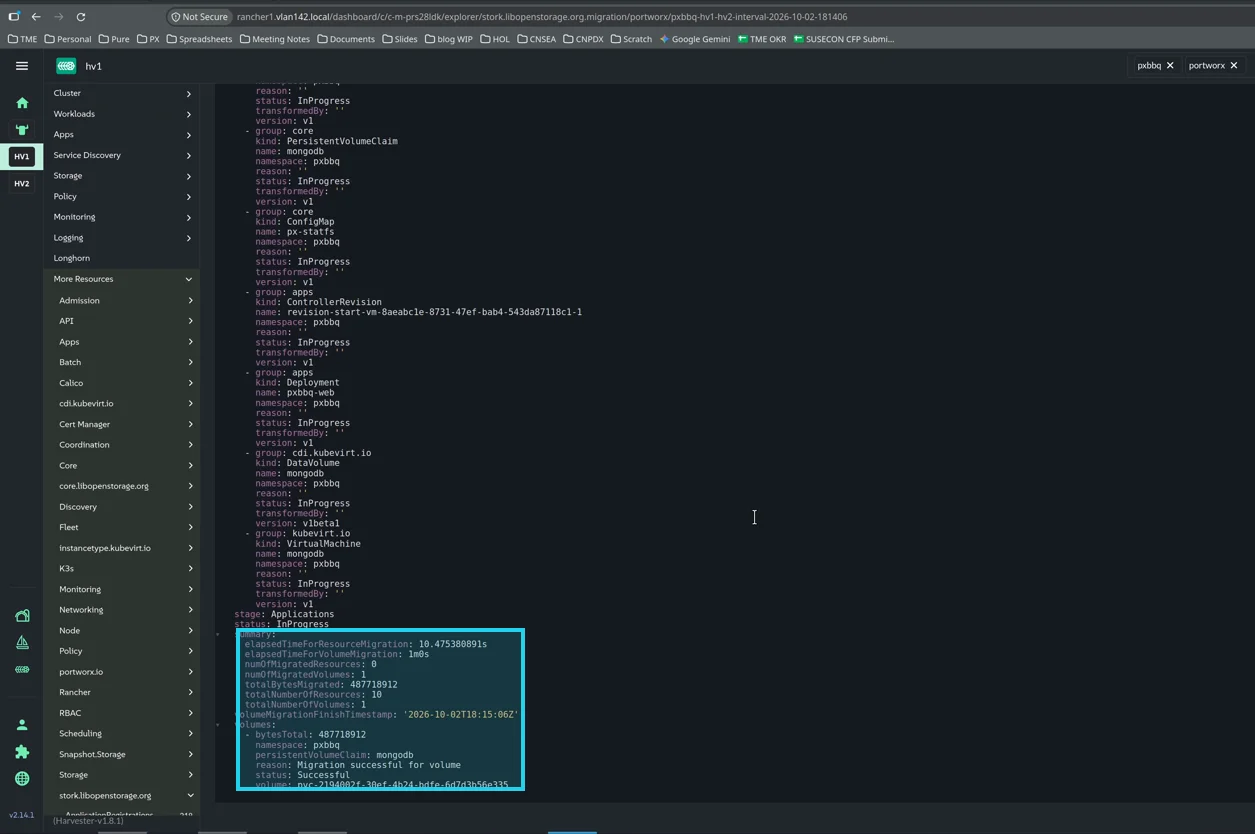
The summary block is the part I like to read. It tells you exactly what moved: totalBytesMigrated, numMigratedVolumes, numMigratedResources, and the per-resource status. Here the single mongo-db volume shows status: Successful with the reason “Migration successful for volume”, and the overall object is still InProgress at the Applications stage as the resources finish landing.
Once it completes, I verify the standby copy is actually there. Scoping to the pxbbq namespace, the pxbq-web Deployment is present (at 0 replicas). And clicking into the Harvester provider cluster to look at all the virtual machines, the mongodb VM is on hv2 — exactly as designed, powered off:
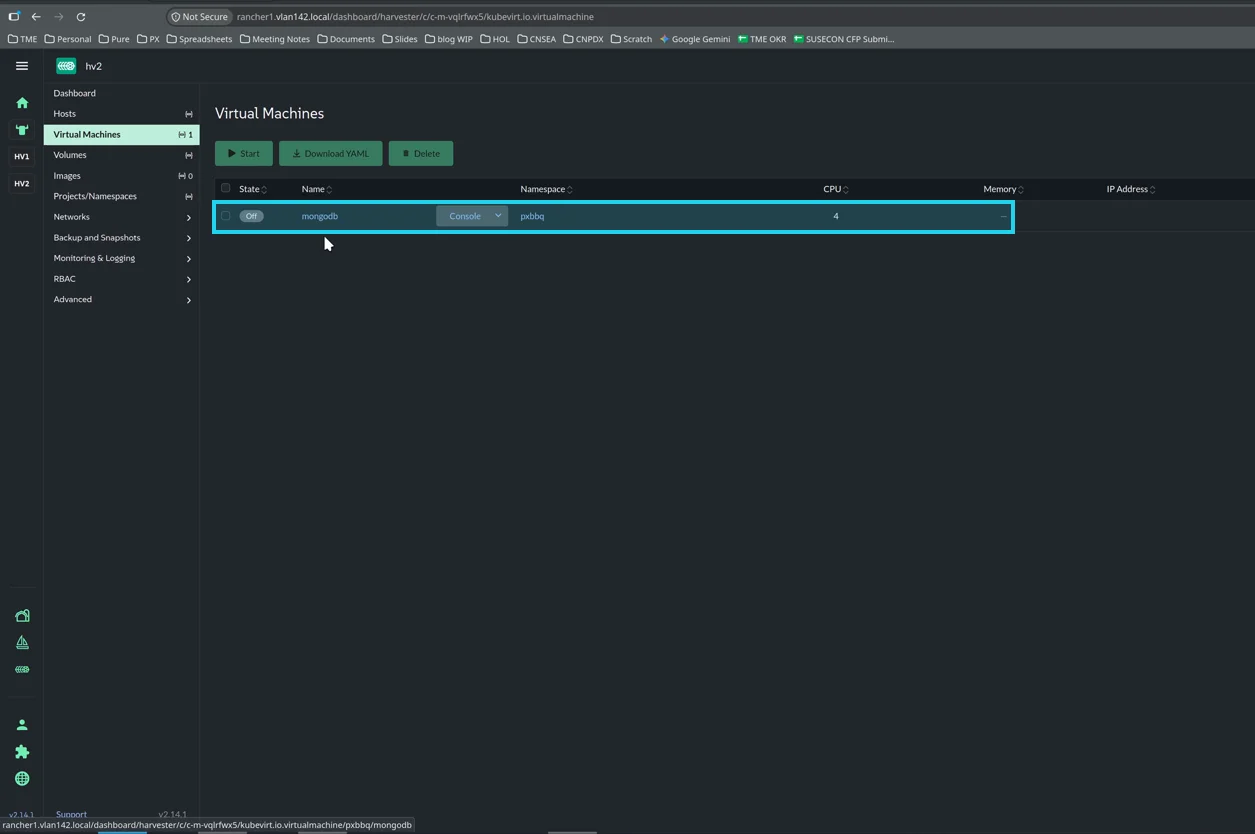
So at this point we have a warm, dormant standby: the data is replicated, the VM is there but off, and the web app is there but scaled to zero. Nothing on hv2 is serving traffic yet. That’s the state we want before a disaster.
The failover
Now for the actual failover. Portworx ships a utility called storkctl that can facilitate failover by activating the application on the other side. But it isn’t really a magical operation — the same thing can be done manually with a GitOps pipeline, or by clicking around in the GUI. For this demo I do it entirely from inside the Rancher UI.
Step 1 — suspend the replication. Because my source cluster is still live, I first set suspend: true on the MigrationSchedule. This stops the schedule from spawning additional migrations while I’m in the middle of recovering the application. (This is the manual equivalent of what autoSuspend would do if we’d activated through Stork.)
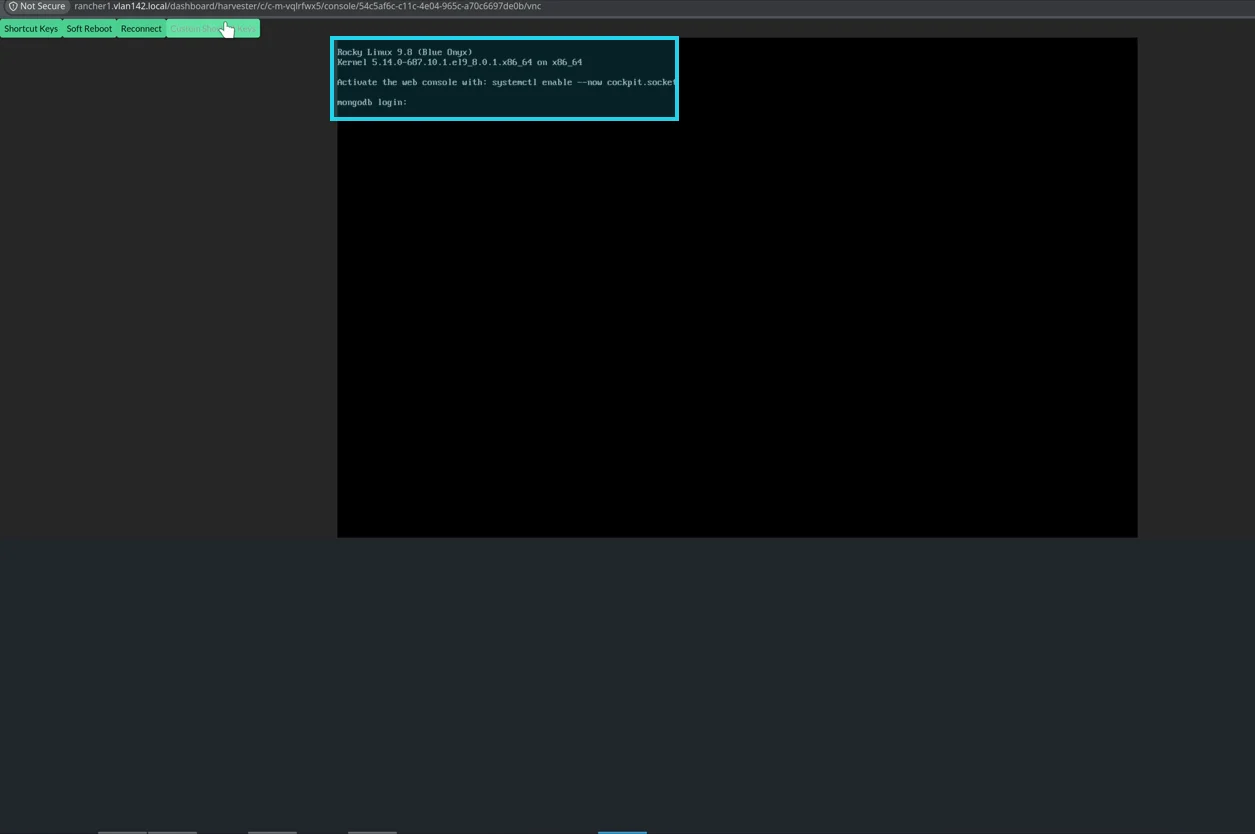
Step 2 — power on the MongoDB VM. I go to the mongodb VM on hv2 and start it. The boot takes about a minute since we’re running in a virtual environment, and then it comes up to a login prompt:
Step 3 — scale up the container app. I go to the pxbbq namespace, open the pxbq-web Deployment, and scale it up to one pod. If you’ve forgotten how many replicas the source had, Portworx wrote an annotation that records the replica count from before the migration — so you’re not guessing.
Step 4 — verify. Because the service was a NodePort, everything came through to the new cluster with the same configuration I had originally. I log back into the app and check the order history:
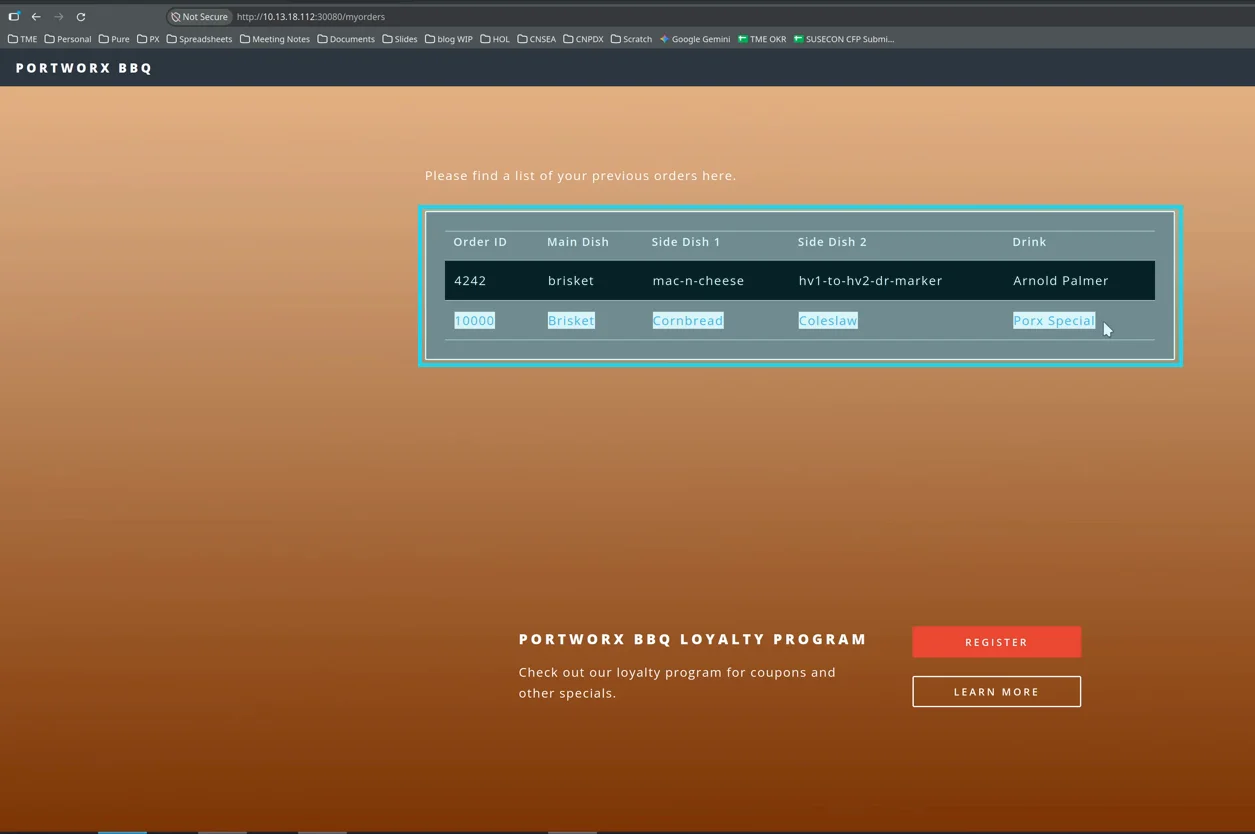
There’s my earlier order, intact. The data that was on the virtual machine’s disk on hv1 is now being served by that same VM running on hv2, and the containerized front-end is back up in front of it. The application is fully functional on the secondary cluster.
Wrapping up
The whole flow is worth internalizing because it’s the shape of a lot of real DR requirements:
- Pair the clusters with a Stork
ClusterPairand confirm it’sActive. - Schedule the replication with a
MigrationSchedule— pick your RPO with the schedule policy, keep the standby dormant withstartApplications: false, and point Stork at your auth secret if PX-Security is on. - Let it run — the first migration seeds the standby, and the interval keeps it warm.
- Fail over by suspending the schedule, powering on the VMs, and scaling up the containers — then verify the application is serving and the data survived.
The nice part about doing this on SUSE Virtualization is that the same mechanism that protects your containers also protects your VMs. A virtual machine is just a VirtualMachine resource with a Portworx-backed volume, so Stork treats it exactly like any other workload in the namespace. You don’t need a separate VM-migration story — the DR story for your containers is the DR story for your VMs.
That’s the Portworx + SUSE Virtualization DR story. Thanks for reading.
Recommended for you