Technical Insights
Multicloud SQL Server on Kubernetes: Faster, Cost-Effecient Storage on Azure and AWS


Summarize Blog With
Table of Content
Combine fast NVMe performance and strong data resilience with Portworx’ topology-aware replication to achieve true multicloud portability
Kubernetes has evolved into the strategic backbone of the modern enterprise. A majority of enterprises are now committing to Kubernetes-first strategy for new applications, especially those using Kubernetes to orchestrate their inference workloads. Enterprises are no longer just thinking about new applications deployed as microservices, but also containerized COTS applications to take advantage of the public cloud efficiency and streamline their workflows.
In a previous blog, my colleagues Jose Moreno and Anthony Nocentino already showed that SQL Server on AKS with Portworx can be both faster and cheaper than a big IaaS VM on Azure.
Let’s pick up where they left off and look at what happens when you take that same pattern to AWS. Then let’s zoom out to what this means for multicloud, portability, and the “digital autonomy” that boards are now asking CIOs to deliver.
From Azure to AWS
On Azure, the setup was simple:
- AKS on L‑series VMs with local NVMe
- Portworx sitting on top of that NVMe
- SQL Server in a container, with data and log on Portworx volumes replicated three ways
This setup delivered about double the throughput and a much lower latency than a traditional SQL VM using P70 managed disks. These performance gains were achieved at roughly half the monthly cost by avoiding expensive managed storage and leveraging fast local SSDs.
We did a similar thing on AWS with the same HammerDB 500GB TPROC‑C harness, same SQL Server core and memory limits, same Portworx data services, but this time on EKS. The twist was that we tested two backend storage options, both managed by Portworx:
- One cluster built on **Nitro instance store** (the AWS equivalent of super‑fast, node‑local NVMe, but technically ephemeral)
- Another cluster using **EBS gp3** volumes combined in RAID‑0 for higher throughput per node
From SQL Server’s point of view, nothing changed between those two tests. It still talked to Portworx volumes via PVCs, had the same 8 vCPU / ~59GiB limit, and ran the same workload. Under the covers, though, one cluster was backed by blazing‑fast instance‑local NVMe, the other by networked block storage.
The outcome looked a lot like the Azure story. With only 16 virtual users in HammerDB, the instance‑store setup was already delivering around two‑and‑a‑half to three times the transactions per minute of the EBS RAID‑0 configuration, while keeping latency lower and more predictable. As we turned up the virtual users, the Nitro + Portworx config continued to scale automatically until we hit the limits of this SQL Server deployment configuration, similar to our tests on Azure.
So across both clouds, the pattern holds: if you can get to local NVMe or instance stores and then let Portworx handle data persistence, you’ll see a huge jump in OLTP performance compared to traditional cloud disks.
Using Ephemeral Storage Without Losing Sleep
Of course, there’s a reason people don’t usually put critical databases on node‑local disks: they’re ephemeral. Lose the node, lose the data. That’s acceptable for caching, but it’s not acceptable for something like a 500GB OLTP database.
Portworx changes the equation.
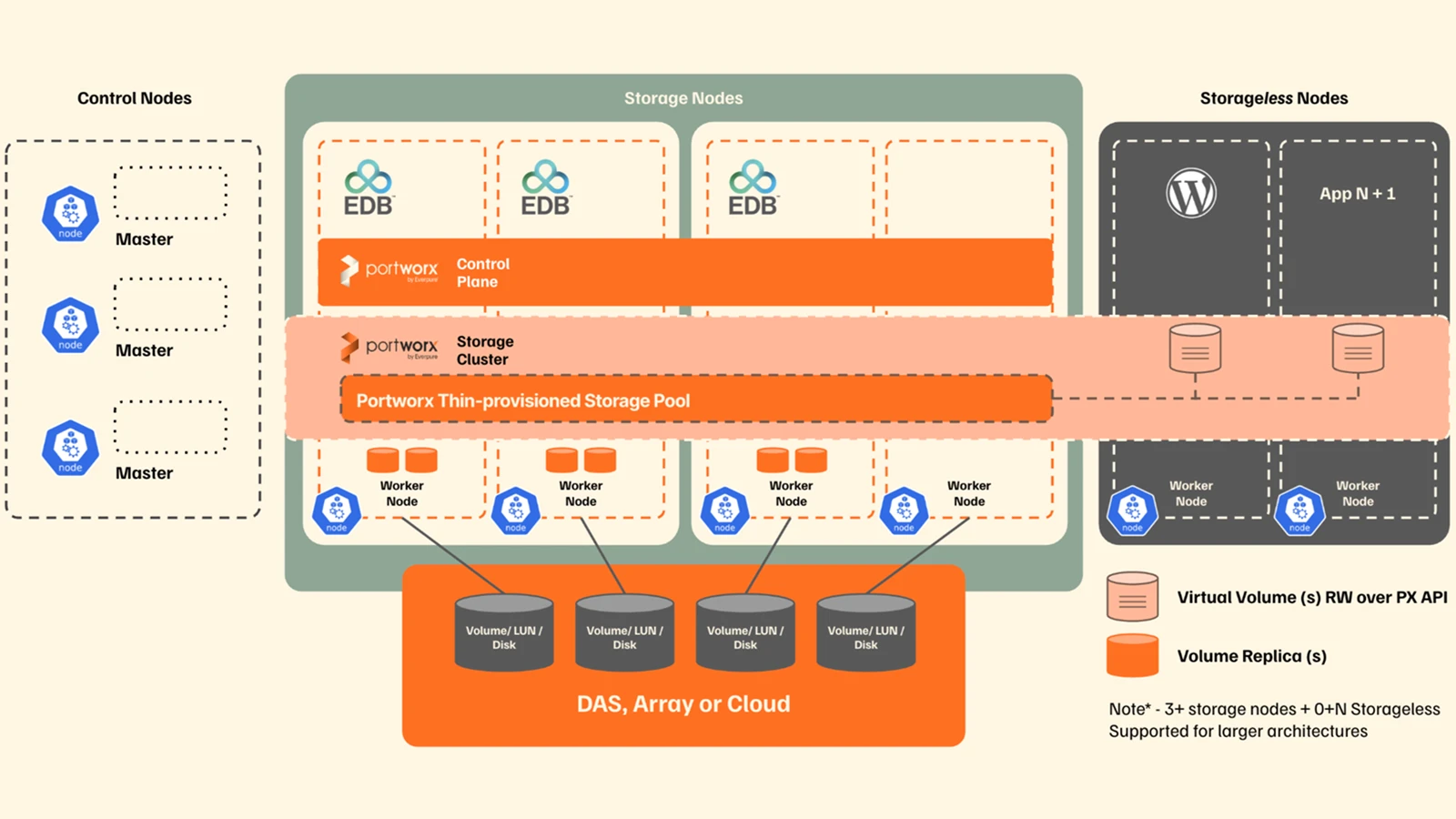
Instead of writing your SQL data and log to a single disk on a single node, Portworx replicates those writes across multiple nodes in the cluster. In the setups we are looking at, the StorageClass for the main database volumes was configured with a replication factor of three. That means every write is synchronously committed to three different nodes, spread across three availability zones.
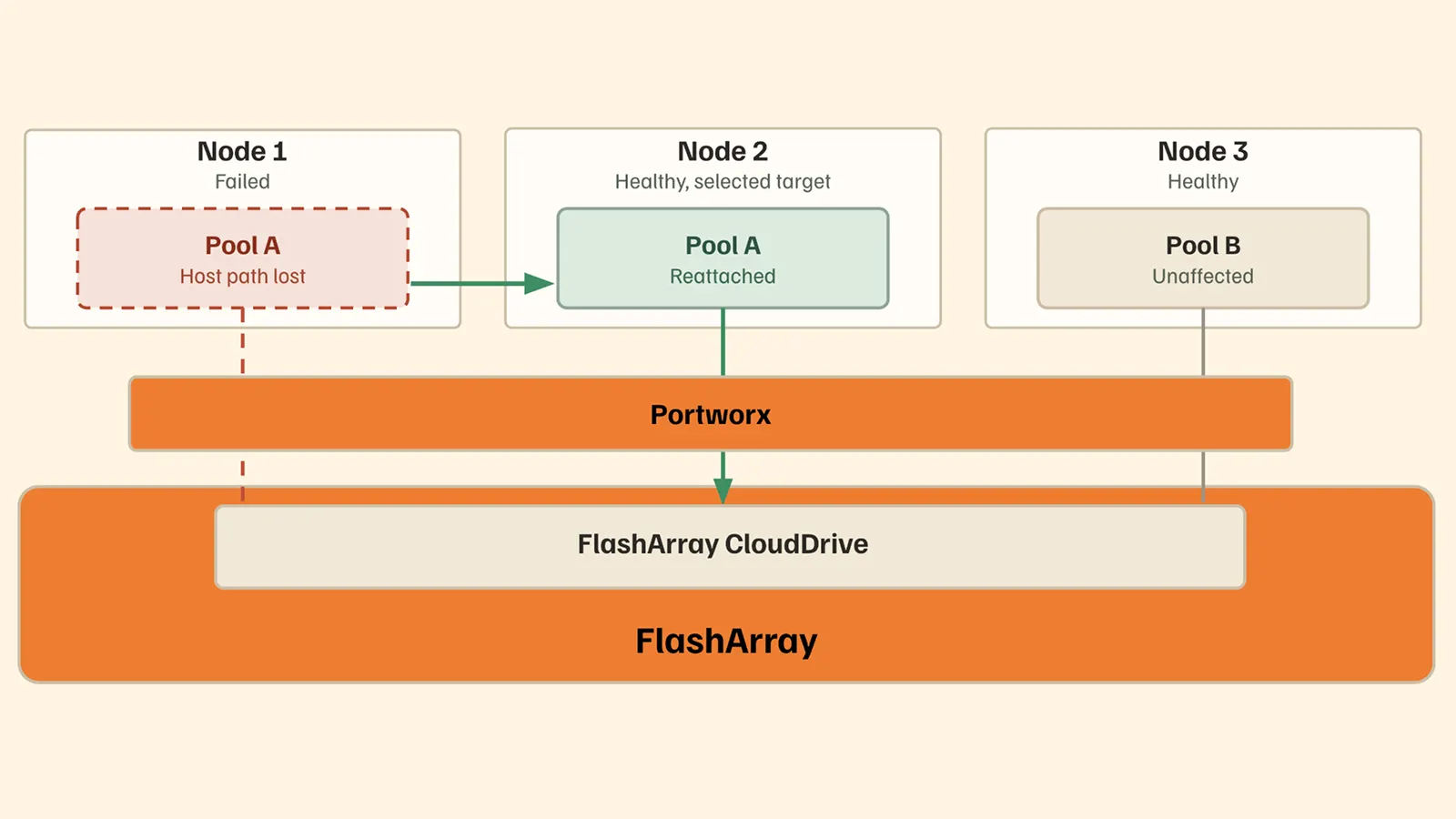
If the node running the SQL Server pod disappears, perhaps due to a hardware failure, a Kubernetes upgrade, or somebody fat‑fingers a scaling event, Kubernetes can reschedule that pod onto another node that already has a full, up‑to‑date copy of the data. From SQL’s perspective, it looks like a normal restart. From your perspective, it’s “I got NVMe performance but with multi‑AZ durability.”
Portworx also understands cluster topology, so it knows where volume replicas live and automatically restarts the SQL pod where storage access will be fastest. And when you upgrade or patch your cluster, Smart Upgrades kicks in to make sure you don’t take down a node that’s holding the last copy of anything important. It moves replicas around and drains nodes in a way that preserves the promised replication factor the entire time.
The key point is that Portworx lets you treat Azure local NVMe or AWS Nitro instance stores as if they were safe, sharable, persistent storage, because it is handling the hard work of replication, failure handling, and upgrades underneath. This ensures your data remains protected and available, while taking advantage of higher performance and lower latency.
For Reference:
Instance Type: M7i-4xlarge 16 vCPU 128GB RAM Qty 4 – 350Gb GP3 Disks
| Virtual Users | NOPM | TPM | NEWWORD Avg. (MS) | NEWWORD p99 | PAYMENT Avg. (ms) | SLEV Avg (ms) |
| 16 | 24444 | 56802 | 26.278 | 200.305 | 8.541 | 9.388 |
Instance Type: I7i.4xlarge 16 vCPU 128GB RAM 3.5TB NVMe Disk
| Virtual Users | NOPM | TPM | NEWWORD Avg. (MS) | NEWWORD p99 | PAYMENT Avg. (ms) | SLEV Avg (ms) |
| 16 | 62352 | 144922 | 8.933 | 23.646 | 4.314 | 3.758 |
| 24 | 74343 | 172674 | 12.486 | 50.926 | 5.052 | 7.543 |
| 32 | 83040 | 192714 | 14.164 | 49.153 | 5.821 | 4.718 |
| 40 | 87483 | 203440 | 16.68 | 55.949 | 7.129 | 5.228 |
| 48 | 89465 | 207811 | 19.431 | 63.223 | 8.522 | 5.491 |
| 64 | 94345 | 218977 | 24.674 | 77.535 | 10.707 | 5.723 |
| 96 | 97810 | 227306 | 35.614 | 110.817 | 14.904 | 8.028 |
Why This Matters – Digital Autonomy and Multicloud
You don’t need to reread the McKinsey & Company report to know the theme: boards want less dependence on any single provider or region, more control over where data lives, and architectures that can bend as regulations and geopolitics shift. While they call it “technology sovereignty” and “digital autonomy”, in practice, that means designing for portability and optionality from day one for your apps and data.
The combination of Kubernetes and Portworx gives you exactly that for stateful workloads like SQL Server.
Think about it this way: on Azure you can get more performance and lower cost by running SQL Server in AKS on local NVMe with Portworx. On AWS, we achieved the same thing on EKS with an instance store disk. The SQL manifests are nearly identical. The HammerDB test harness is identical. The way you consume storage through Portworx volumes with the same names and same policies is identical.
Under the hood, the disks and instance types are different. Operationally and architecturally, the pattern is the same.
That’s what a portable, cloud‑agnostic architecture looks like in real life. With Portworx as your data management layer, enterprises can build a consolidated platform that de-couples the data from the underlying Kubernetes distribution, meaning you can:
- Run SQL in AKS on Azure today, because that’s where your licenses or data residency rules are most favorable.
- Stand up the same workload in EKS on AWS tomorrow, using the same Kubernetes objects and the same storage semantics, just pointed at a different Portworx cluster.
- Move or replicate data between those environments without changing the application itself.
That’s not just about avoiding lock‑in, although it does that. It also lines up with hybrid and sovereign strategies. You can run regulated, stable workloads in a private or “sovereign” Kubernetes cluster, still backed by Portworx, while keeping equivalent stacks in one or more public clouds. You choose where the primary runs based on cost, latency, and regulation, and you keep the others ready.
Stretching Across Regions and Clouds with A‑Sync DR
Performance and availability in a single cluster is great, but what if a region fails? What if we need to exit a cloud or move data quickly? These questions and more are top of mind for Boards and regulators, particularly in light of the cloud outages that arise from time to time.
That’s where Portworx Async DR comes in.
Async DR lets you replicate volumes from one Portworx cluster to another across regions, across clouds, or between clouds and on‑premises. It’s block‑level replication on a schedule you control, with policies that line up with your RPO SLAs. In other words, you can have your primary SQL Server running on EKS in one region, and a warm copy of the data sitting on AKS in another region, or in an on‑prem cluster, ready to be promoted if needed.
By adopting an architecture built on Portworx + Kubernetes, the failover story is simple:
- Turn the replicated volumes into writable primaries in the DR cluster.
- Start the same SQL StatefulSet there, pointed at those volumes.
- Update DNS or cut over your application to the new endpoint.
When the original site is back and you’re ready, you can sync back and reverse roles. It’s the same architecture and operational model no matter which cloud or region you’re using.
That’s what McKinsey was getting at when they said digital autonomy isn’t isolation, it’s “intelligent interdependence.” You can still use the hyperscalers, you can still take advantage of their best instance types and services, but you own the shape and mobility of your critical data. Portworx gives you the storage and data management layer to do that for databases, not just stateless microservices.
Wrapping It Up
Portworx enables organizations to automate, protect and unify data management in Kubernetes across public cloud, on-prem and hybrid environments. Taken together, the results from both the Azure and AWS tests deliver a consistent story:
- Using NVMe or instance store and putting Portworx in front of it dramatically improves SQL Server OLTP performance compared to traditional cloud disks, without giving up durability.
- Portworx makes ephemeral hardware feel persistent and safe by layering replication, topology awareness, and Smart Upgrades on top.
- By standardizing on Kubernetes and Portworx as your substrate, you gain a SQL platform you can run on AKS, EKS, in sovereign clouds, or on‑prem while using Async DR to tie those environments together.
We proved this with our testing on Azure, and the EKS tests now show the same thing on AWS. When you connect that to the strategic push for digital autonomy, the bigger picture emerges: this isn’t just a neat performance trick, it’s a blueprint for how to run critical databases in a multicloud, sovereignty‑aware world without boxing yourself in.
Recommended for you