
Product Announcements
Portworx Backup 3.0.0: Purpose-Built Data Protection for Service Providers


Summarize Blog With
Table of Content
Managed service providers operate in a structural gap. They run the Kubernetes platform their customers depend on, but the workloads, the clouds those workloads sit in, and the credentials that unlock them all belong to the customer. The provider delivers a service on infrastructure they do not own.
Most enterprise backup tools were not built for that gap. By assuming a centralized operator model, their bolt-on approaches to multi-tenancy and RBAC create a problematic double-edged sword. Providers are forced into a security and compliance minefield by having to manage tenant cloud credentials. Simultaneously, they face significant manual burdens, from the hands-on distribution of Kubernetes clusters, applications, and VMs to the complex task of reconciling backup statuses across isolated customer environments.
Portworx Backup 3.0.0 starts from a different premise. It introduces a federated mode built for service providers. The first supported platform is Gardener Kubernetes; additional managed Kubernetes platforms are on the roadmap.
A different starting point: the service-provider operating model
When the operator manages the platform but the resources belong to the tenant, three constraints become structural. The provider cannot keep tenant cloud credentials centrally without becoming a credential-vault liability. The provider cannot assume a single cloud account, identity provider, or compliance regime applies across the fleet — each tenant brings its own, and the backup product has to handle that heterogeneity natively. And the provider needs operational visibility across the fleet without forcing every tenant to open inbound network paths into their own clusters.
Taken seriously, those constraints call for a fundamentally different product architecture, not a configuration checkbox on standard enterprise solutions designed for single organizations protecting their own data on systems they fully control.
Federated mode: a secret-less control plane
Portworx Backup 3.0.0 achieves this architecture through federated mode. By deploying alongside Portworx Enterprise on individual tenant clusters, it enables execution to remain on each cluster while a centralized control plane manages policy, scheduling, and visibility across the entire fleet.
In federated mode, cloud credentials are not stored on the Portworx Backup server. Instead, each application cluster authenticates directly to the backup location using Workload Identity, while Stork handles backup operations locally.
No tenant credentials on the central server
Federated mode integrates directly with Portworx Enterprise on tenant clusters, allowing it to utilize the existing platform setup without additional configuration. Workload Identity is reused by Portworx Backup from the Portworx Enterprise configuration, reducing the configuration hassles for Everpure customers. With support starting with Azure Workload Identity and rolling out to the GCP and AWS IRSA equivalent in subsequent releases. By keeping credentials on the cluster, Portworx Backup 3.0.0 strengthens security for managed service providers. Further, it features:
- Zero stored cloud credentials on the central server for Azure-based workloads
- No per-tenant secrets to rotate
- Reduced compliance scope for the provider
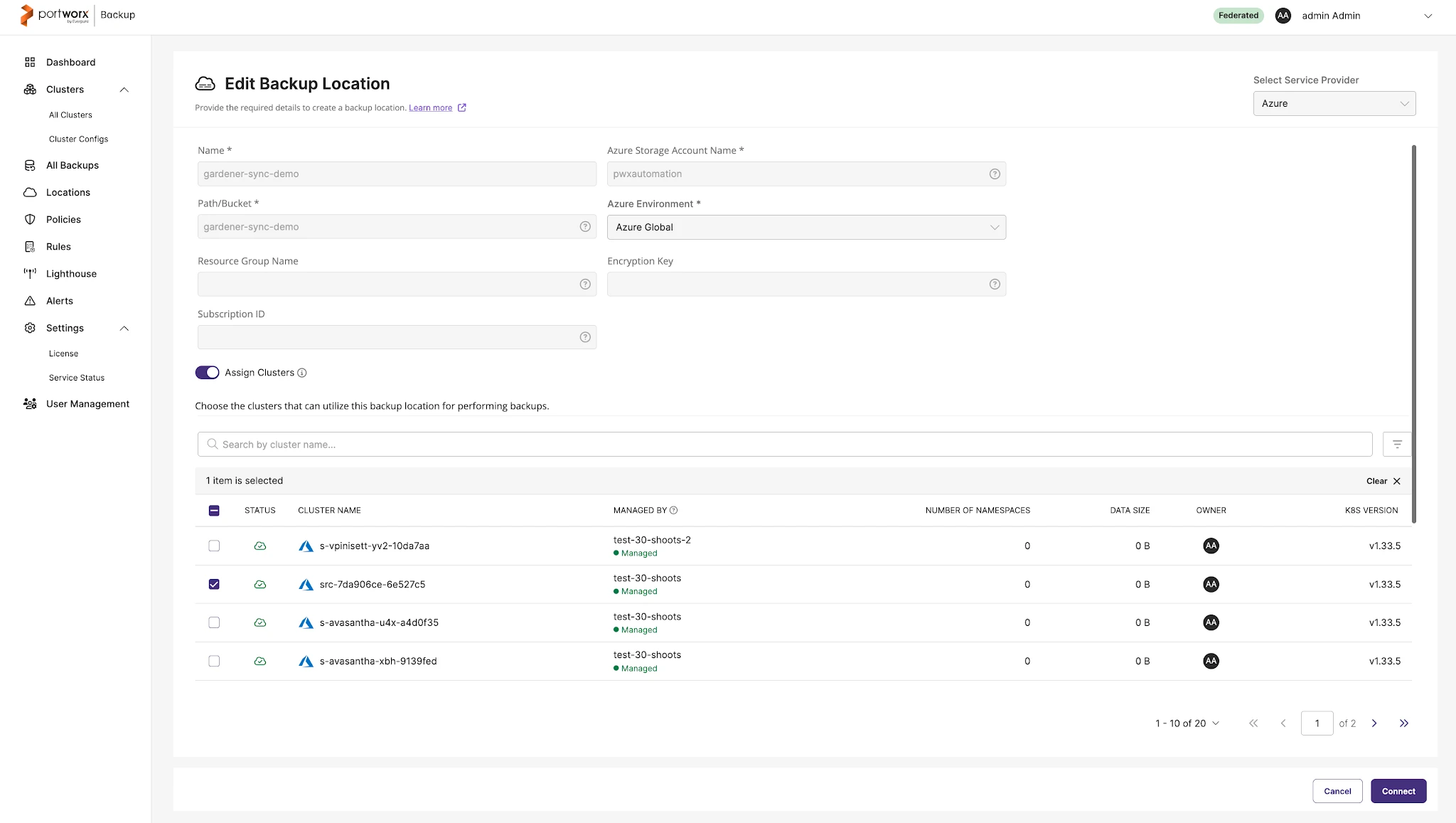
Execution at the edge
Backup sync, cloud-file-missing checks, and backup deletion all run inside the tenant cluster via Stork, against the tenant’s own backup location using the tenant’s own identity. This means:
- Support for backup stores isolated within each tenant’s cluster environment
- Isolation of customer-side compromises to a single tenant, protecting the entire fleet
- Independent parallel execution that scales data protection organically across massive fleets
Continuous federated validation
Cluster reachability and backup-location health are validated continuously across the federated set, so the operator has an accurate read on which tenant clusters and backup destinations are ready at any moment. The validation stays resilient as the fleet changes — tenant clusters that are temporarily unreachable do not gate the fleet-wide picture. These improvements result in:
- Validation never stalled by a single offline cluster
- Deterministic fleet-wide status visibility for the operator
Native onboarding for Gardener Kubernetes
Gardener is a community-governed Kubernetes offering used by service providers to provision and operate thousands of clusters at scale, with identical Day-1 and Day-2 operations across the infrastructures it supports. For service providers building on Gardener, 3.0.0 integrates natively rather than treating each shoot as a generic Kubernetes cluster.
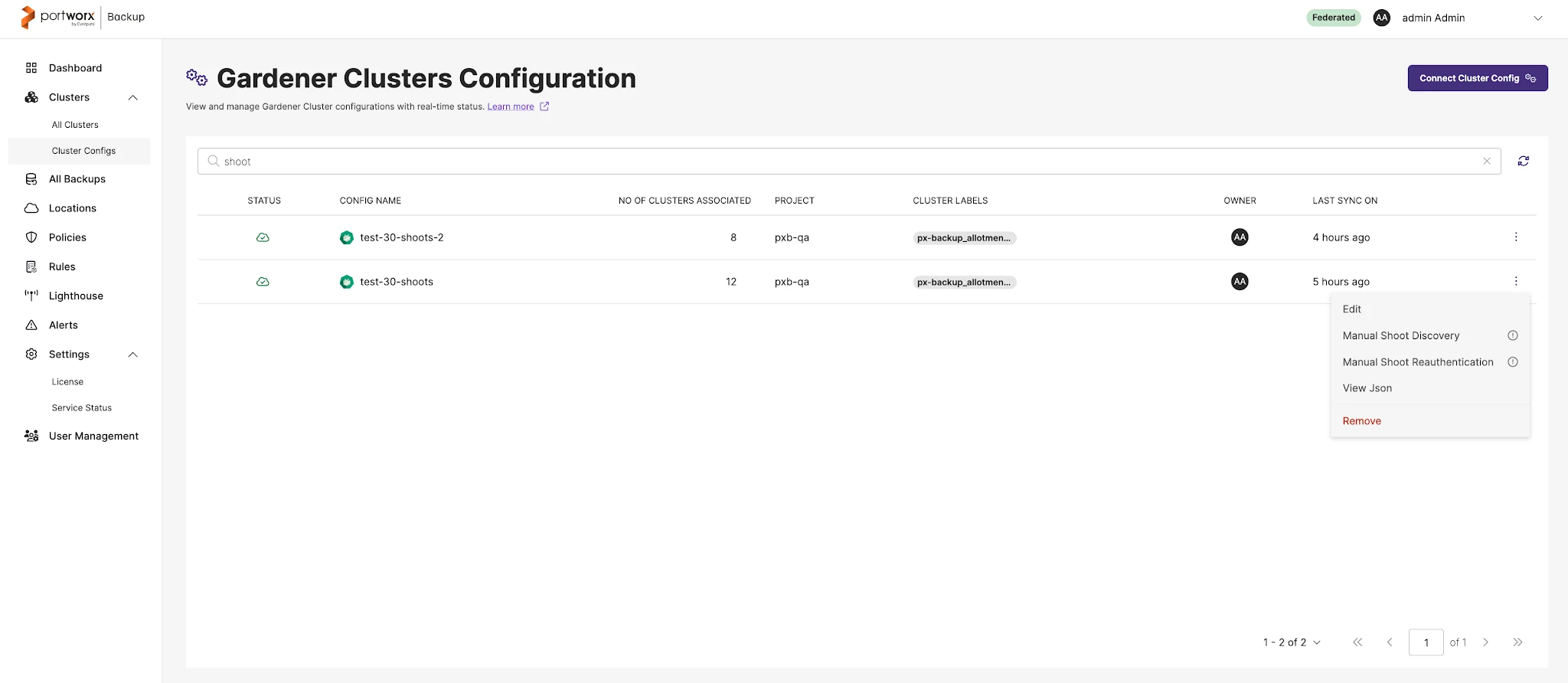
Gardener-native cluster discovery
Shoot clusters are discovered automatically through the Gardener API using a project-level service account, and short-lived kubeconfigs are pulled and rotated by Portworx Backup. This enables:
- Onboarding that scales from tens to thousands of shoots
- No kubeconfig sprawl and no long-lived credentials
- No human in the loop on cluster lifecycle changes
Garden Linux and Gardener Kubernetes support
The Portworx Backup runtime and the kernel modules run on Garden Linux’s custom kernel and the full control plane is supported on Gardener-provisioned shoots, providing:
- No structural blocker for Gardener-based service providers
- No Enterprise Linux licensing requirement on the data-protection stack
A UI built for Gardener and federated workflows
The 3.0.0 UI handles cluster onboarding, federated backup-location management, and Workload Identity configuration through Gardener-aware screens. Identity also validates against Microsoft Entra ID via OIDC, so providers can extend their existing identity perimeter to Gardener-deployed Portworx Backup without standing up parallel auth.
Federated mode launches with Gardener as the first managed-Kubernetes platform. Additional platforms are on the roadmap.
Operational visibility with Pure1 telemetry
Portworx Backup 3.0.0 introduces a Pure1 telemetry channel available to every Portworx Backup customer, federated or otherwise. The channel is opt-in. Until a customer turns it on, no telemetry data is sent to Pure1. Once on, it can be turned off again at any time. The data that does flow follows the commitments published in the Everpure Trust Center, so customers stay in control of what they share with Portworx by Everpure.
Observability for backup health
The cluster registers with Pure1, obtains signed certificates, and uploads operational metrics and logs over that channel. Customer-to-org-id mapping and onboarded application-cluster UUIDs are correlated, so support engagements start with the right context already in hand.
- Opt-in by default; the customer decides when telemetry is on and off
- Telemetry data scope and retention follow the published Trust Center commitments
- No manual log collection during incidents
Getting started
Portworx Backup 3.0.0 is generally available alongside Stork 26.3.0, the required companion version. Installation and federated-mode configuration for Portworx Backup instance alongside Portworx Enterprise on your tenant clusters are fully covered in our guide available at Portworx Documentation.
If you have been working around the gap between enterprise backup products and how service providers actually deliver service, 3.0.0 is built to close it. Federated, multi-cloud data protection, starting with Gardener, with additional managed-Kubernetes platforms on the roadmap.
Talk to sales about Portworx Backup for your service-provider needs and Schedule a demo to see federated mode running in your environment. Or read Portworx Backup Release Notes for the full 3.0.0 feature list.
Recommended for you