

Overview of Container Orchestration
Containers are packages that bundle applications with their dependencies to ensure consistent execution across different environments. Managing these containers at scale can be complex. Container orchestration automates the scaling and management of containerized applications. This includes tasks such as deploying containers, managing networking, scaling, and failover, without worrying about the underlying infrastructure. This allows developers to focus on application development.
Kubernetes is the most widely used tool for container orchestration. It enables orchestration by coordinating where and how containers run in the cluster. On the other hand, Rancher provides a unified platform to deploy and manage multiple Kubernetes clusters. Rancher also supports provisioning clusters using its own Kubernetes distribution called Rancher Kubernetes Engine 2 (RKE2), which is also a CNCF-conformant Kubernetes distribution. While both play crucial roles in the container orchestration ecosystem, they serve different purposes.
In the following sections, we will break down how they differ and complement each other.
What is Kubernetes?
Kubernetes is a popular open source container orchestrator that helps deploy, scale, and manage applications across different environments. To fully appreciate Kubernetes’ approach, one must understand how it differs from traditional virtualization (Kubernetes vs VMs). Kubernetes was originally developed by Google but is now maintained by the Cloud Native Computing Foundation (CNCF).
Key Features of Kubernetes
- Declarative Management – It supports declarative programming and uses a configuration file to achieve the requested end state automatically.
- Automated Deployment and Scheduling – As per the resource requirements, containers are efficiently placed on available nodes.
- Self-healing and high availability – Automatically replaces unresponsive containers, restarts failed ones, ensuring the desired application state. This self-healing capability ensures continuous availability and reduces downtime.
- Horizontal Scaling – Based on the traffic and custom metrics, applications are scaled up or down.
- Load Balancing and Service Discovery – Exposes services externally and internally while balancing the traffic between container instances.
- Automated Rollouts and Rollbacks – Manages the application updates with controlled rollouts and revert rollouts if needed.
- Kubernetes Dashboard (web-based UI) – Supports a web-based interface to monitor and manage Kubernetes resources, making cluster operations more efficient.
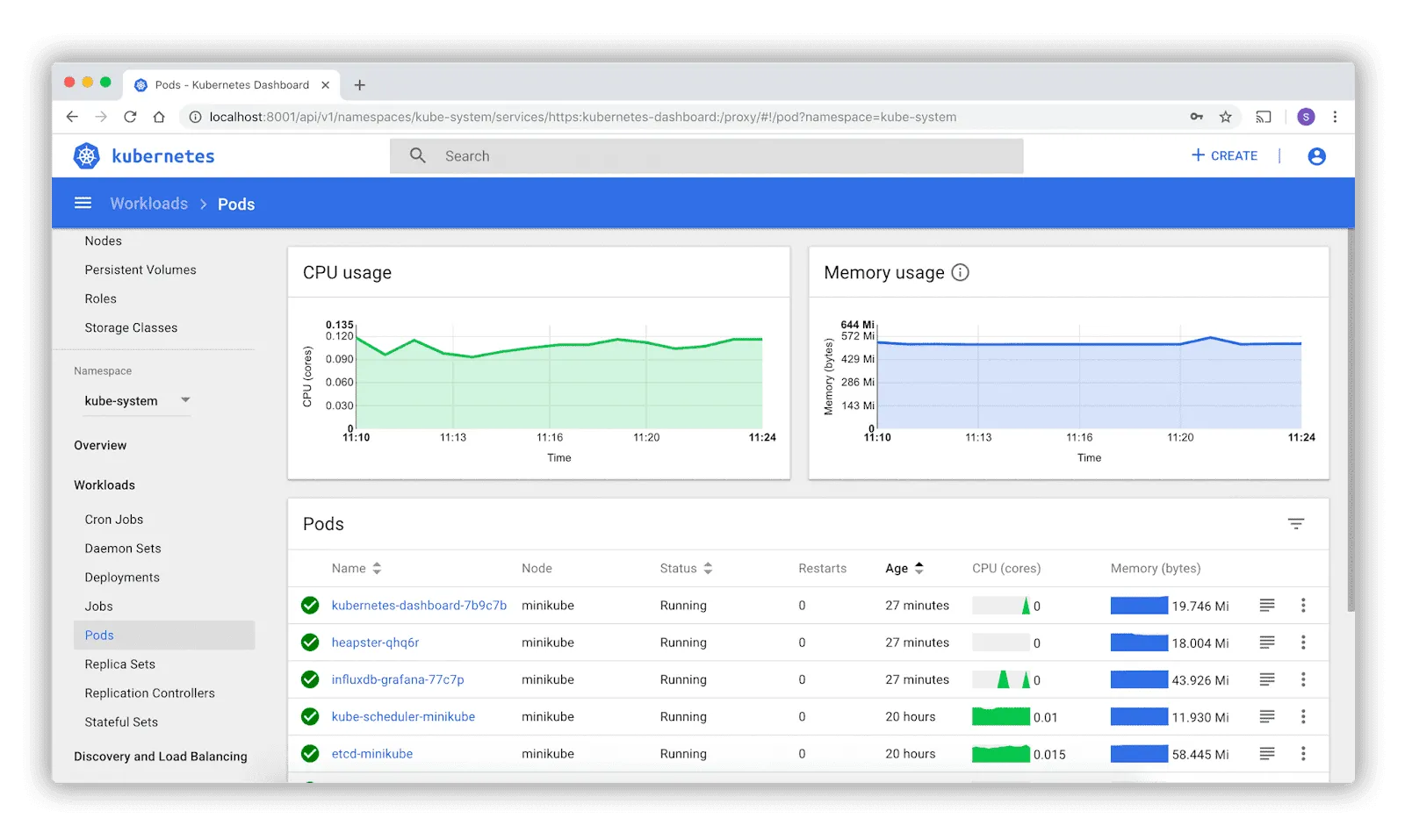
While Kubernetes is a powerful tool for container orchestration, it lacks many platform-level features such as authentication, monitoring, logging, or built-in application management. Turning Kubernetes into a production-grade platform typically requires additional tools and configuration.
That’s where Rancher adds value to Kubernetes. Rancher built on top of Kubernetes provides a complete platform experience, including a GUI, all the above features, and curated apps through Rancher Prime.
What is Rancher?
Rancher is an open source Kubernetes multi-cluster management platform. It simplifies the deployment and management of Kubernetes clusters across deployments anywhere—on-prem or in the cloud.. It makes managing and scaling infrastructure resources easier, and it provides enterprise-grade capabilities like observability and security. Rancher acts as a centralized control panel for managing multiple Kubernetes clusters with a user-friendly interface.
Key Features of Rancher
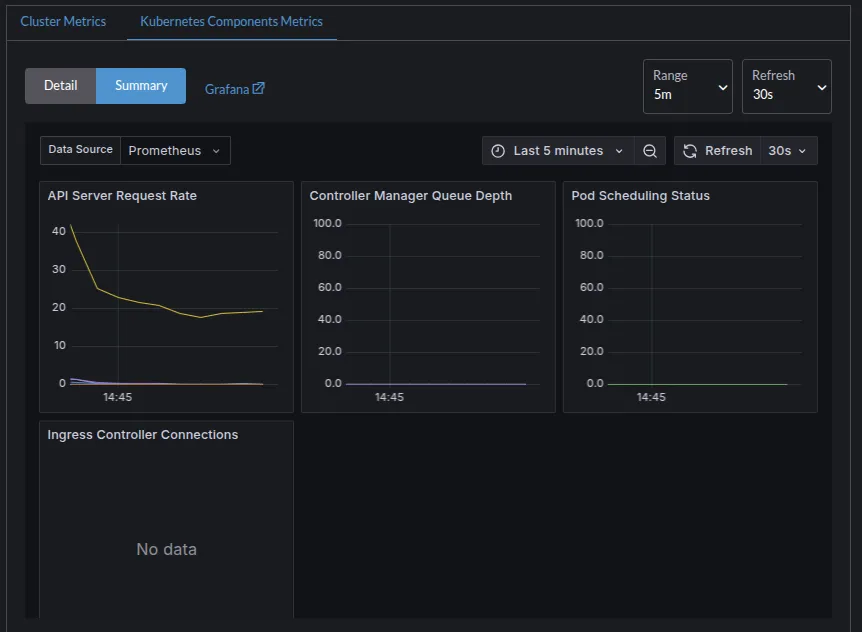
- Centralized Kubernetes Cluster Management – Rancher provides a single dashboard to deploy, manage, and monitor multiple Kubernetes clusters. It has a built-in dashboard for monitoring and alerting that shows cluster health, workloads, and resource usage.
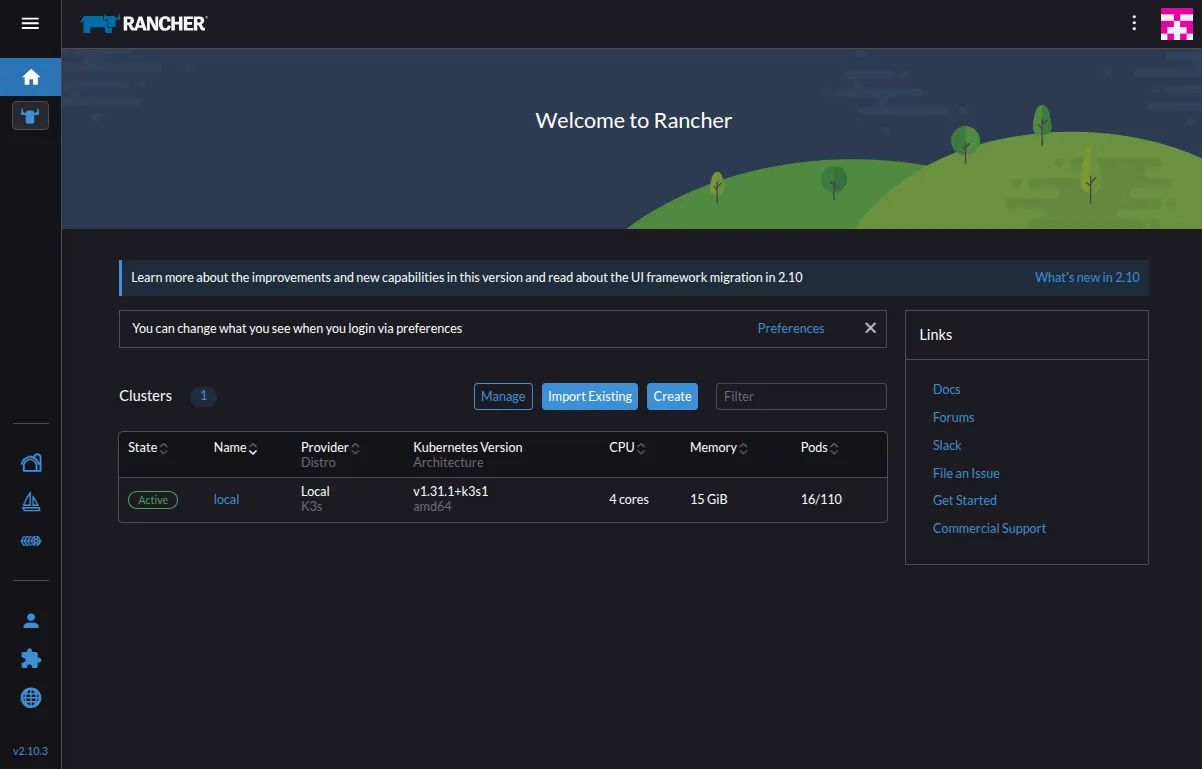
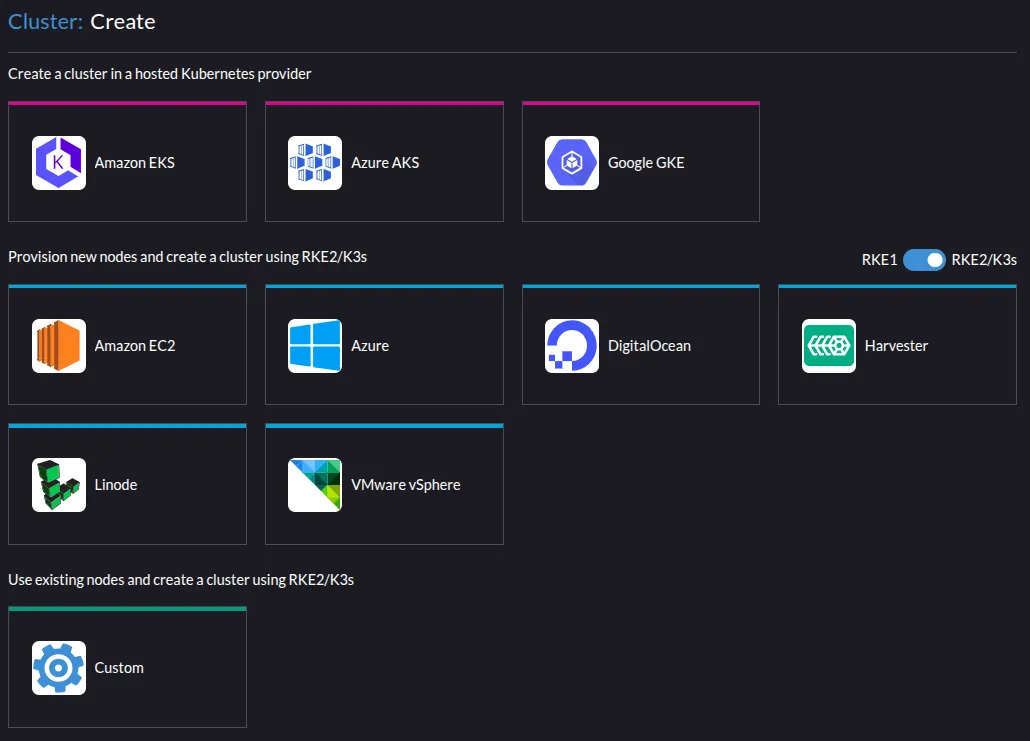
- Multi-Cluster and Multi-Cloud Support – Rancher can manage clusters from one platform across different environments like AWS, Azure, Digital Ocean, vSphere, Linode, and more, including on-prem.
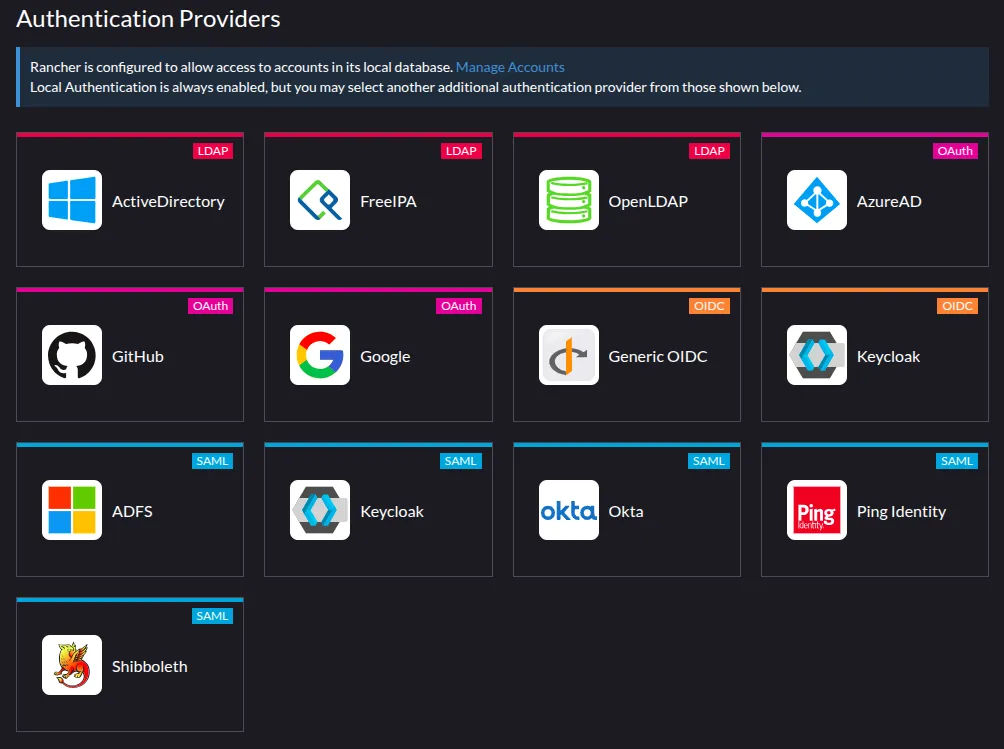
- Access Control and Authentication – Integrates with Active Directory (AD), AzureAD, Google, GitHub, OpenLDAP, and many other identity providers to manage access and roles across clusters.
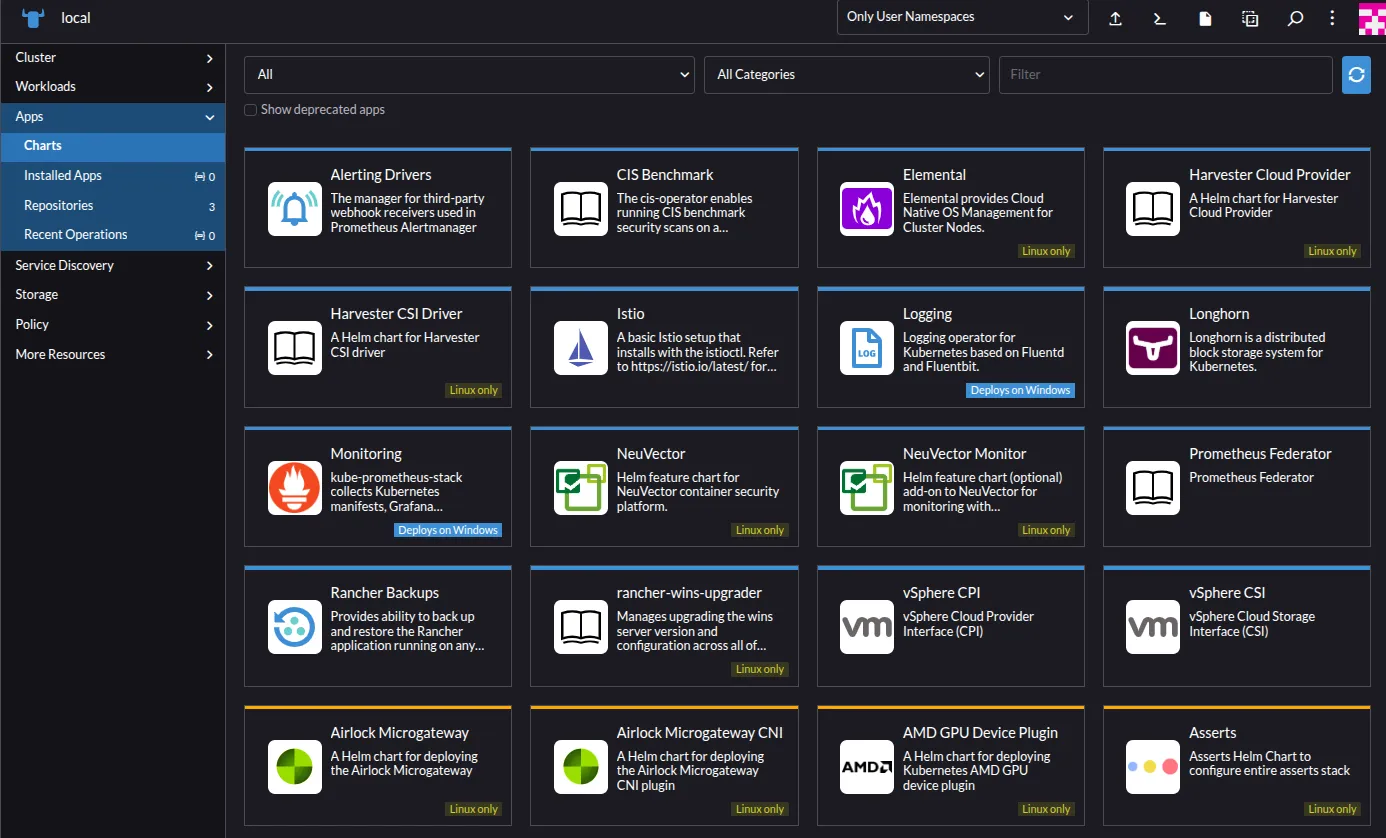
- Application Catalog – Rancher offers an updated app catalog using Helm charts for quick and one-click deployments of applications. Below is a list of some of the Helm charts offered by Rancher as well as partners.
- Security and Policy Management – With Rancher, policy enforcement is achieved centrally using Kubernetes RBAC, PodSecurityPolicies, along with other security tools such as CIS Benchmark and vulnerability scanners. This ensures the compliance and operational security for the clusters.
- Observability and Monitoring – Rancher’s integrated monitoring provides access to all the cluster metrics, logs, and alerts through a single interface with Prometheus, Grafana, and Fluentd or integrated with third-party tools.
Rancher vs Kubernetes: Key Difference
Both Kubernetes and Rancher play key roles in container orchestration. It’s important to understand how they complement and differ from each other. While Rancher is the platform that manages and simplifies working with Kubernetes, Kubernetes is the engine that manages and runs the containers. For organizations looking to implement enterprise DevOps with Rancher, understanding these differences is crucial. Let’s break down the key differences between the two.
| Category | Kubernetes | Rancher |
|---|---|---|
| 1. Architecture | ||
| – Architecture Model | A modular architecture with Control Plane and Worker Nodes. Requires independent setup and management of each cluster. | Runs on top of Kubernetes and can manage multiple clusters from a single Rancher server. Supports Rancher-provisioned as well as imported clusters. |
| – Cluster Provisioning | Cluster has to be set up manually using kubeadm, kops, or cloud-specific tools. | Cluster provisioning is simplified based on various infrastructures (cloud, on-prem, edge) via UI or API. |
| 2. Ease of Use | ||
| – Learning Curve | Requires an in-depth understanding of kubectl, YAML, Kubernetes objects, and configuration. | UI makes it easier to manage clusters and workloads, without needing deep CLI or YAML knowledge. |
| – Community & Support | A large open source community supports documentation and third-party tools. | Thriving open source community backed by SUSE. SUSE Rancher Prime offers enterprise support. |
| 3. Management & Monitoring | ||
| – Monitoring Tools | Prometheus, Grafana, or third-party monitoring tools have to be set up manually. | Prometheus, Grafana, and alerting tools are integrated. Dashboard provides workloads and all the resource visibility by default. |
| – Management Interface | CLI-focused (kubectl), minimal native GUI (Kubernetes Dashboard). | Fully featured web UI supports managing multiple clusters, workloads, users, namespaces, and apps. |
| 4. Security Features | ||
| – Authentication | Basic authentication is possible. However, manual setup is required for integrating different identity providers. | Many identity providers are integrated within Rancher. Centralized authentication across clusters. |
| – Access Control | Supports Role-Based Access Control (RBAC) after manual configuration. | Centralized RBAC UI can manage groups and user permissions across clusters and projects. |
| – Security Compliance | CIS Benchmarks have to be set up manually using tools and scripts. | Provides built-in one click installation of CIS Benchmark Chart and scanning compliance reports at the cluster level. |
| 5. Multi-Cluster Management | ||
| – Native Capabilities | Each cluster operates separately. | Supports multi-cluster management, access control, and cluster lifecycle management. |
| – Workload Deployment | Applications have to be deployed individually per cluster. | Deploys apps across multiple clusters using templates, Helm charts. |
| – GitOps integration | Requires third-party tools, such as Flux or ArgoCD, for GitOps | Includes Fleet, a built-in GitOps engine that manages and deploys workloads via Git. |
Advantages of Using Rancher Over Kubernetes Alone
Simplified Cluster Management
Rancher can provision, import, upgrade, and monitor clusters from a single dashboard, reducing manual intervention. Cluster administrators do not need to manage each cluster separately using CLI tools, which further reduces operational complexity and human error, especially in multi-cloud or hybrid environments. To further standardize and streamline cluster management, Rancher offers Cluster Templates – predefined configurations for creating a Kubernetes Cluster. They enable administrators to enforce standard settings across multiple clusters, such as node roles, Kubernetes versions, network plugins, and security policies. This is particularly helpful in large or multi-team contexts.
Enhanced User Interface
Unlike CLI and YAML required for Kubernetes, Rancher’s web-based UI simplifies everyday tasks, like deploying workloads, creating namespaces, monitoring resource usage, and configuring RBAC. This makes Kubernetes more user-friendly for users without CLI expertise.
Integrated DevOps Features
Rancher’s built-in support for Helm charts, Prometheus, and Grafana for monitoring, external authentication providers, and access control features accelerates the DevOps workflows, which would otherwise require manual setup in Kubernetes. These integrations make Rancher production-ready. Explore the range of supported DevOps and enterprise tools at Rancher Application Collection.
When to Choose Kubernetes Over Rancher
Rancher brings significant management benefits to Kubernetes, so it’s not a question of when to choose Kubernetes over Rancher, but rather determining if Rancher’s management layer provides sufficient value for your use case.
Organizations can leverage GitOps tools like Flux or ArgoCD for Git-based, declarative resource management. Teams can also opt for cloud-specific managed Kubernetes services like GKE, EKS, and AKS, which provide their own specialized interfaces.
Kubernetes and Rancher Management with Portworx
Production environments, particularly those running at enterprise scale, often demand more data management capabilities than Rancher or Kubernetes can natively offer. These workloads are often mission critical in nature, and managing these workloads becomes as critical as managing compute. Although Kubernetes includes basic storage orchestration and Rancher offers multi-cluster management, both lack data management features that help with Day 2 operations like capacity management, disaster recovery, and backup.
This is where Portworx by Pure Storage excels. If used along with Rancher, an enterprise can gain:
- Cloud Native storage for Kubernetes – Portworx provides dynamic storage provisioning, high application performance, and storage automation capabilities like capacity management and intelligent volume placement.
- Secure application data – Portworx provides Kubernetes-native data protection in the form of backups and ransomware protection. It also provides synchronous and asynchronous disaster recovery.
- High Availability for Stateful Workloads – Portworx ensures persistent volumes are replicated and highly available across multiple nodes or zones to avoid downtime and data loss. This makes it possible to run HA ELK with Rancher and other critical stateful applications.
- Integration with Rancher GUI
Portworx integrates with Rancher through GUI plugin, allowing admins to view Portworx volumes, storage classes (SC), and metrics.
Rancher vs Kubernetes FAQs
- Is Rancher the same as Kubernetes?
No. Kubernetes is a container orchestration tool that automates the deployment, scaling, and management of containerized applications. Rancher helps manage Kubernetes applications, which enhances and simplifies cluster management with a centralized UI. - Does Rancher require Kubernetes?
Rancher can technically be deployed in a Docker container without a Kubernetes cluster. However, this isn’t recommended for production environments. Rancher Prime can be used for production environments where it can be deployed on a Kubernetes cluster. - What are the main differences between Rancher and Kubernetes?
Both Kubernetes and Rancher are complementary tools that serve different purposes in the container ecosystem. While Kubernetes handles container orchestration, Rancher provides an intuitive interface and authentication capabilities. - Can Rancher be used to manage existing Kubernetes clusters?
Yes. Rancher can be used to manage existing Kubernetes clusters by importing them into Rancher. - How does Rancher enhance Kubernetes’ native capabilities?
Rancher enhances Kubernetes’ native capabilities with a user-friendly dashboard, added support for different authentication providers, built-in monitoring/logging capabilities, and one-click application deployment with Helm charts. - What value does Rancher add as a management layer for Kubernetes?
- Easier cluster management
- Centralized RBAC and authorization
- User-friendly visual interface.
- Multi-cloud and hybrid Kubernetes support.
- Is Rancher suitable for managing Kubernetes clusters in a multi-cloud environment?
Absolutely. Rancher is built for managing the clusters across multiple cloud environments – AWS, Azure, GCP, Linode, vSphere, on-prem, and edge environments.
- Who owns and develops Rancher? What support options are available for Rancher?
SUSE acquired Rancher in 2020. However, it is open source and is actively developed and maintained by the SUSE and Rancher communities. Commercial and Prime support are available through SUSE Rancher Prime for enterprises that require reliability.